Yep, we may get a tiny thank-you (read: commission) when you buy through
links on Techspotr — not enough for a yacht, but enough to keep the lights (and
servers) on.
Learn more
44
Highlights
41
Differences
9
Reactions
0
Likes
NexiGo PJ40
vs
NexiGo PJ20:
44 Highlights & 41 Differences —
So, Which Projector Actually Works Better
Simple setup is key. Both projectors feature manual focus and icon-based menu navigation.
Not sure which projector is the better fit? This projectors comparison puts NexiGo PJ40 vs NexiGo PJ20 side by side — starting from product type, native resolution, throw ratio & lens material to what users love.
NexiGo PJ40 Vs. PJ20: An Insightful Comparison of Home Theater Portable Projectors
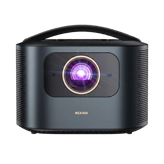
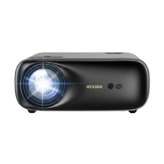
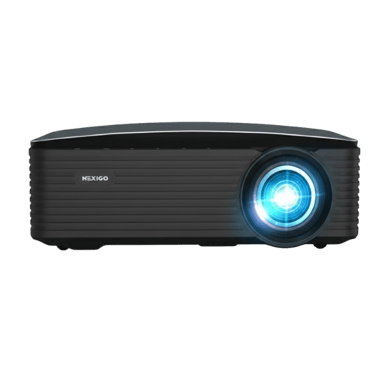
When it comes to selecting a versatile home theater portable projector, the NexiGo PJ40 and PJ20 models stand out as popular choices. Both projectors share a lot in common: they utilize LCD projection technology, offer native 1080p resolution, come housed in sleek black plastic bodies, and support tabletop, tripod, or ceiling mounting. Connectivity-wise, they both provide Bluetooth 5.1 and support Miracast and AirPlay for screen mirroring. However, significant distinctions set them apart, including brightness output, maximum screen size, audio capabilities, and physical dimensions. These differences ultimately shape which device suits your environment best, whether that's a large living room or a smaller mobile setup.
Brightness and Size Take Center Stage with the NexiGo PJ40
The NexiGo PJ40 shines, literally, with an impressive brightness rating of 600 ANSI lumens; almost double that of the PJ20's 350 lumens. This feature enables the PJ40 to deliver clear images even in moderately lit environments, making it an ideal choice for living rooms or larger spaces where ambient light can interfere with projector clarity. It boasts a maximum screen size of up to 300 inches, providing plenty of flexibility for cinematic experiences that really fill the room.
Audio enthusiasts will appreciate the PJ40's built-in 20-watt speaker, which significantly outpowers its PJ20 counterpart. Unlike the PJ20, it does not include Dolby Audio but compensates with strong speaker output and wireless Bluetooth audio output functionality that lets you connect to external sound systems if desired. Also, for those with specialized setup requirements, the PJ40 comes equipped with an RS-232 port; a rarity that allows advanced control capabilities, particularly useful in professional or home automation contexts.
Despite its power, the PJ40 maintains reasonable power consumption of 160W, balancing performance and energy needs. With dimensions wider (10.8 inches) and deeper (11.2 inches) than its sibling, it's less compact but offers more in terms of visual and audio performance for those less concerned with portability.
Compact and Cost-Effective: The NexiGo PJ20 Holds Its Ground
If portability and budget are your top priorities, the NexiGo PJ20 impresses with a smaller form factor measuring only 4.25 inches in width and 9.05 inches in depth, making it highly pocketable and easier to carry around. This model also boasts a more efficient power consumption rating of 140W, slightly lower than the PJ40, which can help reduce electricity bills and heat output during use.
The PJ20 outputs 350 ANSI lumens, which, while quieter than the PJ40's, still caters well to darker rooms or cozy movie nights. Its maximum supported screen size tops out at 200 inches, providing ample viewing experience for most bedrooms or small home theaters.
Notably, the PJ20 supports Dolby Audio, which enhances sound quality and clarity despite having weaker 5W built-in speakers. This feature makes it a smart option for users who prioritize crisp audio but plan to use the projector in environments where external sound systems aren't practical. Like the PJ40, it also supports Bluetooth audio output for wireless sound options.
Connectivity is slightly pared down, lacking the RS-232 port found on the PJ40, but it maintains essential inputs like AV composite and a 3.5mm audio out port. Its keystone correction horizontally covers 15 degrees, providing flexible adjustment capabilities to align the image perfectly on different surfaces.
Quick Take
The NexiGo PJ40 dazzles with exceptional brightness, a massive 300-inch screen capability, and robust 20W speakers, making it perfect for larger rooms and well-lit settings. Conversely, the NexiGo PJ20 shines through its lightweight, compact design, efficient power use, and Dolby Audio support, presenting a budget-friendly solution ideal for smaller spaces and users on the go.
Bottom Line
Considering their specs, the NexiGo PJ40 stands out as the powerful choice for those who want bright, big-screen movie nights with strong audio, especially in environments where ambient light is a factor. The PJ20, meanwhile, is an excellent pick for anyone seeking a budget-friendly, portable projector that delivers solid picture quality with enhanced Dolby sound for intimate viewing in darker rooms. Either way, both projectors offer quality 1080p resolution and good connectivity options, but your room size, budget, and audio preferences will make the difference.
Verdict
Winner: NexiGo PJ40 - Higher brightness, larger screen size, stronger audio output, and versatile connectivity make it the superior choice for home theater enthusiasts who want impactful performance.
Runner-up: NexiGo PJ20 - Compact design, Dolby Audio support, lower power consumption, and a friendlier price tag suit users valuing portability and cost-efficiency without sacrificing 1080p resolution.
(✱) Prices may be changed at any time without further notice.
Comparisons & Facts
167
Side by side. The numbers. The features. No drama.
We put NexiGo PJ40 and NexiGo PJ20 to the test in this ultimate projectors comparison. Dive into detailed specs, shopper feedback, and real-world use cases to see which projector comes out ahead — and why it might matter to you.
The Product Type for NexiGo PJ40 is 'Home Theater,Portable' and for NexiGo PJ20 it is also 'Home Theater,Portable'. Both models serve similar home theater and portable uses.
Defines the general classification of this projector.
In the battle of Product Type,
NexiGo PJ40 ◉ is
better than
NexiGo PJ20 ◉
, delivering
higher
1 score
measurement.
Don’t keep it to yourself — be the first to react and review the
Product Type on NexiGo PJ40 ◉
vs NexiGo PJ20 ◉ and help others decide!
Both NexiGo PJ40 and NexiGo PJ20 use Plastic as their Build Material, indicating similar construction quality.
Specifies the main construction material of the chassis.
In the battle of Build Material,
NexiGo PJ40 ◉ is
better than
NexiGo PJ20 ◉
, delivering
higher
11 score
measurement.
Don’t keep it to yourself — be the first to react and review the
Build Material on NexiGo PJ40 ◉
vs NexiGo PJ20 ◉ and help others decide!
Release Year
What is the release year of this projector?
86
NexiGo PJ40
0Votes
2023
85
NexiGo PJ20
0Votes
2022
NexiGo PJ40
The release year is 2023, indicating relatively recent technology and features in this model.
Shows the year the projector model was released.
In the battle of Release Year,
NexiGo PJ40 ◉ is
better than
NexiGo PJ20 ◉
, delivering
higher
1 score
measurement.
Don’t keep it to yourself — be the first to react and review the
Release Year on NexiGo PJ40 ◉
vs NexiGo PJ20 ◉ and help others decide!
Intended Usage Type
What is the intended usage type of this projector?
64
NexiGo PJ40
0Votes
Home Theater, Office, Classroom, Outdoor, Gaming
77
NexiGo PJ20
0Votes
Gaming
NexiGo PJ40
This projector is intended for varied usage including home theater, office presentations, classroom instruction, outdoor events, and gaming, highlighting its versatile design.
Describes the ideal application for this projector.
In the battle of Intended Usage Type,
NexiGo PJ40 ◉ is
worse than
NexiGo PJ20 ◉
, delivering
lower
13 score
measurement.
Don’t keep it to yourself — be the first to react and review the
Intended Usage Type on NexiGo PJ40 ◉
vs NexiGo PJ20 ◉ and help others decide!
Imaging Chip Type
What is the imaging chip type of this projector?
28
NexiGo PJ40
0Votes
LCD Panel
47
NexiGo PJ20
0Votes
LCD Panel
NexiGo PJ40
This model utilizes an LCD panel as its imaging chip type, which delivers vibrant colors and good image sharpness, typically with less rainbow effect compared to DLP technology.
Indicates the chip architecture that forms the image.
In the battle of Imaging Chip Type,
NexiGo PJ40 ◉ is
worse than
NexiGo PJ20 ◉
, delivering
lower
19 score
measurement.
Don’t keep it to yourself — be the first to react and review the
Imaging Chip Type on NexiGo PJ40 ◉
vs NexiGo PJ20 ◉ and help others decide!
Country of Manufacture
What is the country of manufacture for this projector?
48
NexiGo PJ40
0Votes
China
77
NexiGo PJ20
0Votes
China
Indicates where the projector was manufactured.
In the battle of Country of Manufacture,
NexiGo PJ40 ◉ is
worse than
NexiGo PJ20 ◉
, delivering
lower
29 score
measurement.
Don’t keep it to yourself — be the first to react and review the
Country of Manufacture on NexiGo PJ40 ◉
vs NexiGo PJ20 ◉ and help others decide!
NexiGo PJ40 has a Brightness Output of 600 lumens, while NexiGo PJ20 outputs 350 lumens, so PJ40 offers significantly brighter projection, better for well-lit environments.
Indicates overall light output for visibility in ambient light.
In the battle of Brightness Output,
NexiGo PJ40 ◉ is
better than
NexiGo PJ20 ◉
, delivering
higher
250.0 lumen
measurement.
Based on community votes for Brightness Output,
NexiGo PJ40 ◉ earned
1 votes,
more than
NexiGo PJ20 ◉,
which got 0 votes.
The Sharpness Enhancement Type for both NexiGo PJ40 and NexiGo PJ20 is Not Specified, so no distinct enhancement differences are noted.
What is the sharpness enhancement level?
In the battle of Sharpness Enhancement Type,
NexiGo PJ40 ◉ is
better than
NexiGo PJ20 ◉
, delivering
higher
18 score
measurement.
Don’t keep it to yourself — be the first to react and review the
Sharpness Enhancement Type on NexiGo PJ40 ◉
vs NexiGo PJ20 ◉ and help others decide!
Maximum Supported Resolution
What is the maximum supported resolution of this projector?
93
NexiGo PJ40
0Votes
4K
67
NexiGo PJ20
0Votes
1080p
NexiGo PJ40
Maximum supported resolution includes 4K, meaning the projector can accept and display ultra-high-definition video signals.
The highest resolution signal the projector can accept.
In the battle of Maximum Supported Resolution,
NexiGo PJ40 ◉ is
better than
NexiGo PJ20 ◉
, delivering
higher
26 score
measurement.
Don’t keep it to yourself — be the first to react and review the
Maximum Supported Resolution on NexiGo PJ40 ◉
vs NexiGo PJ20 ◉ and help others decide!
Peak ANSI Lumens
What is the peak ANSI lumens of this projector?
700
lumen
0Votes
500
lumen
0Votes
NexiGo PJ40
Peak ANSI lumens is 700 lumen, a standard measurement of brightness that indicates how well the projector performs in typical viewing environments.
Industry-standard brightness measurement using ANSI method.
In the battle of Peak ANSI Lumens,
NexiGo PJ40 ◉ is
better than
NexiGo PJ20 ◉
, delivering
higher
200.0 lumen
measurement.
Don’t keep it to yourself — be the first to react and review the
Peak ANSI Lumens on NexiGo PJ40 ◉
vs NexiGo PJ20 ◉ and help others decide!
Dynamic Lumens
What is the dynamic lumens rating?
700
lumen
0Votes
Who knows?
0Votes
NexiGo PJ20
(Help us out by suggesting one!)
NexiGo PJ40
The dynamic lumens rating is 700 lumen, reflecting brightness under certain operational conditions when higher light output is needed.
Measures boosted brightness in enhanced dynamic modes.
Don’t keep it to yourself — be the first to react and review the
Dynamic Lumens on NexiGo PJ40 ◉
vs NexiGo PJ20 ◉ and help others decide!
Color Gamut Coverage
What is the color gamut coverage?
77.92
%
0Votes
Who knows?
0Votes
NexiGo PJ20
(Help us out by suggesting one!)
NexiGo PJ40
The projector covers 77.92% of the color gamut, indicating how much of the visible colors it can reproduce, which affects overall image vibrancy.
Indicates percent coverage of color spaces such as Rec.709 or DCI-P3.
Don’t keep it to yourself — be the first to react and review the
Color Gamut Coverage on NexiGo PJ40 ◉
vs NexiGo PJ20 ◉ and help others decide!
HDR Peak Brightness
What is the HDR peak brightness?
700
lumen
0Votes
Who knows?
0Votes
NexiGo PJ20
(Help us out by suggesting one!)
NexiGo PJ40
HDR peak brightness is rated at 700 lumen, which is the maximum brightness achieved during HDR content playback enhancing highlight details.
How bright the projector can go during HDR highlights.
Don’t keep it to yourself — be the first to react and review the
HDR Peak Brightness on NexiGo PJ40 ◉
vs NexiGo PJ20 ◉ and help others decide!
Refresh Rate
What is the refresh rate?
60
Hz
0Votes
60
Hz
0Votes
NexiGo PJ40
Refresh rate is 60 Hz, standard for smooth motion in video playback and gaming content.
Determines motion smoothness for gaming and video.
In the battle of Refresh Rate,
NexiGo PJ40 ◉ is
same as
NexiGo PJ20 ◉
, delivering
equal
60.00 Hz
measurement.
Don’t keep it to yourself — be the first to react and review the
Refresh Rate on NexiGo PJ40 ◉
vs NexiGo PJ20 ◉ and help others decide!
Contrast Ratio
What is the contrast ratio of this projector?
10
NexiGo PJ40
0Votes
2,500:1
47
NexiGo PJ20
0Votes
2000:1
Represents the difference between the darkest black and brightest white produced by the projector.
In the battle of Contrast Ratio,
NexiGo PJ40 ◉ is
worse than
NexiGo PJ20 ◉
, delivering
lower
37 score
measurement.
Don’t keep it to yourself — be the first to react and review the
Contrast Ratio on NexiGo PJ40 ◉
vs NexiGo PJ20 ◉ and help others decide!
Dynamic Contrast Ratio
Deep dynamic contrast at :val.
0
NexiGo PJ40
0Votes
Not Specified
0
NexiGo PJ20
0Votes
Not Specified
What is the dynamic contrast ratio?
In the battle of Dynamic Contrast Ratio,
NexiGo PJ40 ◉ is
same as
NexiGo PJ20 ◉
.
Don’t keep it to yourself — be the first to react and review the
Dynamic Contrast Ratio on NexiGo PJ40 ◉
vs NexiGo PJ20 ◉ and help others decide!
Color Bit Depth
What is the color bit depth?
Who knows?
0Votes
NexiGo PJ40
(Help us out by suggesting one!)
8
bit
0Votes
Determines how finely color gradients are rendered.
Don’t keep it to yourself — be the first to react and review the
Color Bit Depth on NexiGo PJ40 ◉
vs NexiGo PJ20 ◉ and help others decide!
HDR Format Support
What HDR formats does this projector support?
65
NexiGo PJ40
0Votes
HDR10, HLG
Who knows?
0Votes
NexiGo PJ20
(Help us out by suggesting one!)
Specifies which HDR formats the projector can display.
Don’t keep it to yourself — be the first to react and review the
HDR Format Support on NexiGo PJ40 ◉
vs NexiGo PJ20 ◉ and help others decide!
Motion Processing Type
Smooth motion processing with level :val.
0
NexiGo PJ40
0Votes
Not Specified
0
NexiGo PJ20
0Votes
Not Specified
What is the motion processing level?
In the battle of Motion Processing Type,
NexiGo PJ40 ◉ is
same as
NexiGo PJ20 ◉
.
Don’t keep it to yourself — be the first to react and review the
Motion Processing Type on NexiGo PJ40 ◉
vs NexiGo PJ20 ◉ and help others decide!
NexiGo PJ40 supports a maximum screen size of 300 inches, whereas NexiGo PJ20 supports up to 200 inches, making PJ40 suitable for larger viewing areas.
Largest supported diagonal projection size.
In the battle of Screen Size Maximum,
NexiGo PJ40 ◉ is
better than
NexiGo PJ20 ◉
, delivering
higher
100.0 inch
measurement.
Based on community votes for Screen Size Maximum,
NexiGo PJ40 ◉ earned
1 votes,
more than
NexiGo PJ20 ◉,
which got 0 votes.
The Keystone Correction Horizontal is 20 degrees on NexiGo PJ40 but 15 degrees on NexiGo PJ20, so PJ40 offers more horizontal correction flexibility.
Horizontal angle adjustment to correct image distortion.
In the battle of Keystone Correction Horizontal,
NexiGo PJ40 ◉ is
better than
NexiGo PJ20 ◉
, delivering
higher
5.0 degree
measurement.
Don’t keep it to yourself — be the first to react and review the
Keystone Correction Horizontal on NexiGo PJ40 ◉
vs NexiGo PJ20 ◉ and help others decide!
Does this projector support ultra short throw projection?
No
0Votes
NexiGo PJ40
No
0Votes
NexiGo PJ20
vs
Ultra Short Throw
Neither NexiGo PJ40 nor NexiGo PJ20 support Ultra Short Throw projection, limiting placement flexibility for very close distances.
Indicates whether the projector can project large images at extremely short distances.
In the battle of Ultra Short Throw,
NexiGo PJ40 ◉ is
same as
NexiGo PJ20 ◉
.
Don’t keep it to yourself — be the first to react and review the
Ultra Short Throw on NexiGo PJ40 ◉
vs NexiGo PJ20 ◉ and help others decide!
Minimum Throw Distance
What is the minimum throw distance?
4.72
ft
0Votes
4.8
ft
0Votes
NexiGo PJ40
The minimum throw distance is 4.72 ft (1.44 m), meaning the projector can be placed this close to the screen and still produce a clear image.
Closest usable distance between projector and screen.
In the battle of Minimum Throw Distance,
NexiGo PJ40 ◉ is
better than
NexiGo PJ20 ◉
, delivering
lower
0.1 ft
measurement.
Don’t keep it to yourself — be the first to react and review the
Minimum Throw Distance on NexiGo PJ40 ◉
vs NexiGo PJ20 ◉ and help others decide!
Maximum Throw Distance
What is the maximum throw distance?
30.18
ft
0Votes
21.8
ft
0Votes
NexiGo PJ40
The maximum throw distance is 30.18 ft (9.2 m), which is how far the projector can be placed from the screen and still produce a clear image.
Maximum distance at which the projector can achieve a proper image.
In the battle of Maximum Throw Distance,
NexiGo PJ40 ◉ is
better than
NexiGo PJ20 ◉
, delivering
higher
8.4 ft
measurement.
Don’t keep it to yourself — be the first to react and review the
Maximum Throw Distance on NexiGo PJ40 ◉
vs NexiGo PJ20 ◉ and help others decide!
Keystone Correction Vertical
What is the vertical keystone correction?
30
degree
0Votes
15
degree
0Votes
NexiGo PJ40
Vertical keystone correction of 30 degrees allows vertical angle adjustments to achieve a properly squared image on the screen.
Vertical angle adjustment to correct image distortion.
In the battle of Keystone Correction Vertical,
NexiGo PJ40 ◉ is
better than
NexiGo PJ20 ◉
, delivering
higher
15.0 degree
measurement.
Don’t keep it to yourself — be the first to react and review the
Keystone Correction Vertical on NexiGo PJ40 ◉
vs NexiGo PJ20 ◉ and help others decide!
Auto Keystone
Does this projector support auto keystone?
Yes
0Votes
NexiGo PJ40
No
0Votes
NexiGo PJ20
NexiGo PJ40
Auto Keystone simplifies image setup by automatically correcting keystone distortion, ensuring a rectangular display without manual adjustments.
Automatically corrects keystone distortion.
In the battle of Auto Keystone,
NexiGo PJ40 ◉ is
better than
NexiGo PJ20 ◉
.
Don’t keep it to yourself — be the first to react and review the
Auto Keystone on NexiGo PJ40 ◉
vs NexiGo PJ20 ◉ and help others decide!
Lens Shift Vertical
What is the vertical lens shift?
Who knows?
0Votes
NexiGo PJ40
(Help us out by suggesting one!)
Who knows?
0Votes
NexiGo PJ20
(Help us out by suggesting one!)
Vertical lens movement for distortion-free positioning.
Don’t keep it to yourself — be the first to react and review the
Lens Shift Vertical on NexiGo PJ40 ◉
vs NexiGo PJ20 ◉ and help others decide!
Lens Shift Horizontal
What is the horizontal lens shift?
Who knows?
0Votes
NexiGo PJ40
(Help us out by suggesting one!)
Who knows?
0Votes
NexiGo PJ20
(Help us out by suggesting one!)
Horizontal lens movement to fine-tune placement.
Don’t keep it to yourself — be the first to react and review the
Lens Shift Horizontal on NexiGo PJ40 ◉
vs NexiGo PJ20 ◉ and help others decide!
Digital Zoom Level
Useful zoom reaching :valx.
Who knows?
0Votes
NexiGo PJ40
(Help us out by suggesting one!)
32
NexiGo PJ20
0Votes
1.0x–1.1x
What is the digital zoom level?
Don’t keep it to yourself — be the first to react and review the
Digital Zoom Level on NexiGo PJ40 ◉
vs NexiGo PJ20 ◉ and help others decide!
Optical Zoom Level
High-quality optical zoom at :valx.
Who knows?
0Votes
NexiGo PJ40
(Help us out by suggesting one!)
27
NexiGo PJ20
0Votes
1.1x (Entry)
What is the optical zoom level?
Don’t keep it to yourself — be the first to react and review the
Optical Zoom Level on NexiGo PJ40 ◉
vs NexiGo PJ20 ◉ and help others decide!
Screen Size Minimum
What is the minimum supported screen size?
300
inch
0Votes
40
inch
0Votes
Smallest supported diagonal projection size.
In the battle of Screen Size Minimum,
NexiGo PJ40 ◉ is
worse than
NexiGo PJ20 ◉
, delivering
higher
260.0 inch
measurement.
Don’t keep it to yourself — be the first to react and review the
Screen Size Minimum on NexiGo PJ40 ◉
vs NexiGo PJ20 ◉ and help others decide!
Projection Alignment Type
What is the projection alignment type?
0
NexiGo PJ40
0Votes
Front
57
NexiGo PJ20
0Votes
Front
Describes how the projector aligns with the screen.
In the battle of Projection Alignment Type,
NexiGo PJ40 ◉ is
worse than
NexiGo PJ20 ◉
, delivering
lower
57 score
measurement.
Don’t keep it to yourself — be the first to react and review the
Projection Alignment Type on NexiGo PJ40 ◉
vs NexiGo PJ20 ◉ and help others decide!
Who knows?
0Votes
NexiGo PJ40
(Help us out by suggesting one!)
2.8
f-stop
0Votes
vs
Aperture Size
NexiGo PJ40 does not have an Aperture Size specified, while NexiGo PJ20 specifies an aperture size of f/2.8, suggesting PJ20 provides more optical aperture details.
Specifies the optical aperture size affecting brightness and depth.
Don’t keep it to yourself — be the first to react and review the
Aperture Size on NexiGo PJ40 ◉
vs NexiGo PJ20 ◉ and help others decide!
Neither NexiGo PJ40 nor NexiGo PJ20 support Lens Replacement Compatibility, so lens upgrades or swaps are not supported.
Indicates whether the projector's lens can be replaced or upgraded.
In the battle of Lens Replacement Compatibility,
NexiGo PJ40 ◉ is
same as
NexiGo PJ20 ◉
.
Don’t keep it to yourself — be the first to react and review the
Lens Replacement Compatibility on NexiGo PJ40 ◉
vs NexiGo PJ20 ◉ and help others decide!
Lens Coating Type
What is the lens coating type?
Who knows?
0Votes
NexiGo PJ40
(Help us out by suggesting one!)
67
NexiGo PJ20
0Votes
Anti‑Glare
Defines special coatings that enhance optical performance.
Don’t keep it to yourself — be the first to react and review the
Lens Coating Type on NexiGo PJ40 ◉
vs NexiGo PJ20 ◉ and help others decide!
Auto Focus
Does this projector support auto focus?
No
0Votes
NexiGo PJ40
No
0Votes
NexiGo PJ20
Indicates whether the projector can automatically adjust focus.
In the battle of Auto Focus,
NexiGo PJ40 ◉ is
same as
NexiGo PJ20 ◉
.
Don’t keep it to yourself — be the first to react and review the
Auto Focus on NexiGo PJ40 ◉
vs NexiGo PJ20 ◉ and help others decide!
Manual Focus Range
What is the manual focus range?
Who knows?
0Votes
NexiGo PJ40
(Help us out by suggesting one!)
Who knows?
0Votes
NexiGo PJ20
(Help us out by suggesting one!)
Indicates the distance range manual focus can adjust for.
Don’t keep it to yourself — be the first to react and review the
Manual Focus Range on NexiGo PJ40 ◉
vs NexiGo PJ20 ◉ and help others decide!
Lens Motor Noise Level
What is the lens motor noise level?
Who knows?
0Votes
NexiGo PJ40
(Help us out by suggesting one!)
Who knows?
0Votes
NexiGo PJ20
(Help us out by suggesting one!)
Measures noise generated during lens adjustments.
Don’t keep it to yourself — be the first to react and review the
Lens Motor Noise Level on NexiGo PJ40 ◉
vs NexiGo PJ20 ◉ and help others decide!
Lens Protection Cover
Does this projector include a lens protection cover?
No
0Votes
NexiGo PJ40
No
0Votes
NexiGo PJ20
Indicates whether the lens includes a physical protection cover.
In the battle of Lens Protection Cover,
NexiGo PJ40 ◉ is
same as
NexiGo PJ20 ◉
.
Don’t keep it to yourself — be the first to react and review the
Lens Protection Cover on NexiGo PJ40 ◉
vs NexiGo PJ20 ◉ and help others decide!
What is the color temperature setting of this projector?
0
NexiGo PJ40
0Votes
Neutral
47
NexiGo PJ20
0Votes
Neutral
vs
Color Temperature
Both NexiGo PJ40 and NexiGo PJ20 have a Neutral Color Temperature, suggesting a similar color tone output.
Defines the visual warmth or coolness profile of the projected image.
In the battle of Color Temperature,
NexiGo PJ40 ◉ is
worse than
NexiGo PJ20 ◉
, delivering
lower
47 score
measurement.
Don’t keep it to yourself — be the first to react and review the
Color Temperature on NexiGo PJ40 ◉
vs NexiGo PJ20 ◉ and help others decide!
Light Source Lifetime Normal Mode
What is the light source lifetime in normal mode?
30,000
hour
0Votes
30,000
hour
0Votes
NexiGo PJ40
The typical life of the light source in normal mode is 30,000 hours, indicating a long-lasting illumination system that reduces maintenance frequency.
Estimated lifespan in standard usage mode.
In the battle of Light Source Lifetime Normal Mode,
NexiGo PJ40 ◉ is
same as
NexiGo PJ20 ◉
, delivering
equal
30,000.00 hour
measurement.
Don’t keep it to yourself — be the first to react and review the
Light Source Lifetime Normal Mode on NexiGo PJ40 ◉
vs NexiGo PJ20 ◉ and help others decide!
Light Source Type
What is the light source type?
0
NexiGo PJ40
0Votes
LED
77
NexiGo PJ20
0Votes
LED
Defines the illumination technology powering the projector.
In the battle of Light Source Type,
NexiGo PJ40 ◉ is
worse than
NexiGo PJ20 ◉
, delivering
lower
77 score
measurement.
Don’t keep it to yourself — be the first to react and review the
Light Source Type on NexiGo PJ40 ◉
vs NexiGo PJ20 ◉ and help others decide!
Light Source Power Output
What is the light source power output?
Who knows?
0Votes
NexiGo PJ40
(Help us out by suggesting one!)
Who knows?
0Votes
NexiGo PJ20
(Help us out by suggesting one!)
Indicates the wattage of the light source, affecting brightness potential.
Don’t keep it to yourself — be the first to react and review the
Light Source Power Output on NexiGo PJ40 ◉
vs NexiGo PJ20 ◉ and help others decide!
Light Source Lifetime Eco Mode
What is the light source lifetime in eco mode?
30,000
hour
0Votes
30,000
hour
0Votes
Estimated lifespan of the light source in eco mode.
In the battle of Light Source Lifetime Eco Mode,
NexiGo PJ40 ◉ is
same as
NexiGo PJ20 ◉
, delivering
equal
30,000.00 hour
measurement.
Don’t keep it to yourself — be the first to react and review the
Light Source Lifetime Eco Mode on NexiGo PJ40 ◉
vs NexiGo PJ20 ◉ and help others decide!
Light Efficiency
What is the light efficiency?
Who knows?
0Votes
NexiGo PJ40
(Help us out by suggesting one!)
Who knows?
0Votes
NexiGo PJ20
(Help us out by suggesting one!)
Measures how effectively the light source converts power into brightness.
Don’t keep it to yourself — be the first to react and review the
Light Efficiency on NexiGo PJ40 ◉
vs NexiGo PJ20 ◉ and help others decide!
Warm-Up Time
What is the warm-up time?
Who knows?
0Votes
NexiGo PJ40
(Help us out by suggesting one!)
Who knows?
0Votes
NexiGo PJ20
(Help us out by suggesting one!)
Time required for the projector to reach full brightness.
Don’t keep it to yourself — be the first to react and review the
Warm-Up Time on NexiGo PJ40 ◉
vs NexiGo PJ20 ◉ and help others decide!
Cool-Down Time
What is the cool-down time?
Who knows?
0Votes
NexiGo PJ40
(Help us out by suggesting one!)
Who knows?
0Votes
NexiGo PJ20
(Help us out by suggesting one!)
Time required before the projector safely powers off.
Don’t keep it to yourself — be the first to react and review the
Cool-Down Time on NexiGo PJ40 ◉
vs NexiGo PJ20 ◉ and help others decide!
Light Source Replaceability
Can the light source be replaced?
No
0Votes
NexiGo PJ40
No
0Votes
NexiGo PJ20
Indicates whether users can replace the light source.
In the battle of Light Source Replaceability,
NexiGo PJ40 ◉ is
same as
NexiGo PJ20 ◉
.
Don’t keep it to yourself — be the first to react and review the
Light Source Replaceability on NexiGo PJ40 ◉
vs NexiGo PJ20 ◉ and help others decide!
Light Flicker Control
Does this projector include light flicker control?
No
0Votes
NexiGo PJ40
No
0Votes
NexiGo PJ20
Indicates whether flicker reduction technology is implemented.
In the battle of Light Flicker Control,
NexiGo PJ40 ◉ is
same as
NexiGo PJ20 ◉
.
Don’t keep it to yourself — be the first to react and review the
Light Flicker Control on NexiGo PJ40 ◉
vs NexiGo PJ20 ◉ and help others decide!
What color temperature presets does this projector offer?
0
NexiGo PJ40
0Votes
Neutral
0
NexiGo PJ20
0Votes
Warm, Neutral, Cool
vs
Color Temperature Presets
NexiGo PJ40 has Color Temperature Presets set to Neutral, while NexiGo PJ20 includes Warm, Neutral, and Cool presets, giving PJ20 more color adjustment options.
Preset visual warmth settings for different content.
In the battle of Color Temperature Presets,
NexiGo PJ40 ◉ is
same as
NexiGo PJ20 ◉
.
Don’t keep it to yourself — be the first to react and review the
Color Temperature Presets on NexiGo PJ40 ◉
vs NexiGo PJ20 ◉ and help others decide!
Who knows?
0Votes
NexiGo PJ40
(Help us out by suggesting one!)
Who knows?
0Votes
NexiGo PJ20
(Help us out by suggesting one!)
Defines the rotational speed of the DLP color wheel, affecting color accuracy and rainbow artifact reduction.
Don’t keep it to yourself — be the first to react and review the
Color Wheel Speed (for DLP) on NexiGo PJ40 ◉
vs NexiGo PJ20 ◉ and help others decide!
Image Processing Bit Depth
What is the image processing bit depth?
8
bit
0Votes
8
bit
0Votes
NexiGo PJ40
The image processing bit depth is 8 bit, which influences color depth and gradation quality for displayed images.
Indicates color precision and gradient smoothness.
In the battle of Image Processing Bit Depth,
NexiGo PJ40 ◉ is
same as
NexiGo PJ20 ◉
, delivering
equal
8.00 bit
measurement.
Don’t keep it to yourself — be the first to react and review the
Image Processing Bit Depth on NexiGo PJ40 ◉
vs NexiGo PJ20 ◉ and help others decide!
Color Calibration Profiles
What color calibration profiles are available?
0
NexiGo PJ40
0Votes
sRGB, Rec709
0
NexiGo PJ20
0Votes
sRGB, Rec709
NexiGo PJ40
Color calibration profiles include sRGB and Rec709 standards, ensuring accurate color reproduction aligned with common industry standards for video and photography.
Predefined settings for accurate color reproduction.
In the battle of Color Calibration Profiles,
NexiGo PJ40 ◉ is
same as
NexiGo PJ20 ◉
.
Don’t keep it to yourself — be the first to react and review the
Color Calibration Profiles on NexiGo PJ40 ◉
vs NexiGo PJ20 ◉ and help others decide!
Noise Reduction Type
What type of noise reduction does this projector use?
0
NexiGo PJ40
0Votes
Standard
0
NexiGo PJ20
0Votes
Standard
NexiGo PJ40
Noise reduction uses standard technology to minimize unwanted audio noise during playback without advanced algorithms.
Indicates the technique used to reduce visual noise and artifacts for a cleaner image.
In the battle of Noise Reduction Type,
NexiGo PJ40 ◉ is
same as
NexiGo PJ20 ◉
.
Don’t keep it to yourself — be the first to react and review the
Noise Reduction Type on NexiGo PJ40 ◉
vs NexiGo PJ20 ◉ and help others decide!
Image Processor Type
What is the image processor type?
0
NexiGo PJ40
0Votes
Standard
47
NexiGo PJ20
0Votes
Standard
Specifies the processing engine that handles color, scaling, and image optimization.
In the battle of Image Processor Type,
NexiGo PJ40 ◉ is
worse than
NexiGo PJ20 ◉
, delivering
lower
47 score
measurement.
Don’t keep it to yourself — be the first to react and review the
Image Processor Type on NexiGo PJ40 ◉
vs NexiGo PJ20 ◉ and help others decide!
Auto Color Correction
Does this projector have auto color correction?
No
0Votes
NexiGo PJ40
No
0Votes
NexiGo PJ20
Automatically adjusts colors for the best image quality.
In the battle of Auto Color Correction,
NexiGo PJ40 ◉ is
same as
NexiGo PJ20 ◉
.
Don’t keep it to yourself — be the first to react and review the
Auto Color Correction on NexiGo PJ40 ◉
vs NexiGo PJ20 ◉ and help others decide!
Gamma Adjustment Levels
How many gamma adjustment levels are available?
Who knows?
0Votes
NexiGo PJ40
(Help us out by suggesting one!)
Who knows?
0Votes
NexiGo PJ20
(Help us out by suggesting one!)
Controls mid-tone brightness for accurate contrast.
Don’t keep it to yourself — be the first to react and review the
Gamma Adjustment Levels on NexiGo PJ40 ◉
vs NexiGo PJ20 ◉ and help others decide!
Black Level Enhancement
Does this projector include black level enhancement?
No
0Votes
NexiGo PJ40
No
0Votes
NexiGo PJ20
Deepens dark scenes for improved shadow detail.
In the battle of Black Level Enhancement,
NexiGo PJ40 ◉ is
same as
NexiGo PJ20 ◉
.
Don’t keep it to yourself — be the first to react and review the
Black Level Enhancement on NexiGo PJ40 ◉
vs NexiGo PJ20 ◉ and help others decide!
White Balance Control
Does this projector include white balance control?
No
0Votes
NexiGo PJ40
No
0Votes
NexiGo PJ20
Allows tuning of color balance for accurate whites.
In the battle of White Balance Control,
NexiGo PJ40 ◉ is
same as
NexiGo PJ20 ◉
.
Don’t keep it to yourself — be the first to react and review the
White Balance Control on NexiGo PJ40 ◉
vs NexiGo PJ20 ◉ and help others decide!
What screen mirroring standard does this projector support?
0
NexiGo PJ40
0Votes
Miracast, AirPlay
0
NexiGo PJ20
0Votes
Miracast, AirPlay
vs
Screen Mirroring Standard
Both NexiGo PJ40 and NexiGo PJ20 support Screen Mirroring Standards Miracast and AirPlay, allowing for wireless screen casting on both.
Specifies which standard is used for mirroring devices.
In the battle of Screen Mirroring Standard,
NexiGo PJ40 ◉ is
same as
NexiGo PJ20 ◉
.
Don’t keep it to yourself — be the first to react and review the
Screen Mirroring Standard on NexiGo PJ40 ◉
vs NexiGo PJ20 ◉ and help others decide!
Operating System Type
What is the operating system type?
0
NexiGo PJ40
0Votes
Android TV
0
NexiGo PJ20
0Votes
No OS
NexiGo PJ40
The projector runs on Android TV operating system, providing access to a wide selection of apps and streaming services natively.
Specifies the software platform the projector runs on.
In the battle of Operating System Type,
NexiGo PJ40 ◉ is
same as
NexiGo PJ20 ◉
.
Don’t keep it to yourself — be the first to react and review the
Operating System Type on NexiGo PJ40 ◉
vs NexiGo PJ20 ◉ and help others decide!
Wireless Casting
Does this projector support wireless casting?
Yes
0Votes
NexiGo PJ40
Yes
0Votes
NexiGo PJ20
NexiGo PJ40
Wireless casting is supported, enabling the projector to receive content wirelessly from compatible devices. This feature facilitates convenient streaming and presentations without the need for cables.
Indicates compatibility with casting protocols like Chromecast or AirPlay.
In the battle of Wireless Casting,
NexiGo PJ40 ◉ is
same as
NexiGo PJ20 ◉
.
Don’t keep it to yourself — be the first to react and review the
Wireless Casting on NexiGo PJ40 ◉
vs NexiGo PJ20 ◉ and help others decide!
Software Update Method
What is the software update method?
0
NexiGo PJ40
0Votes
USB
0
NexiGo PJ20
0Votes
USB
NexiGo PJ40
Software updates are delivered through USB, requiring manual download and installation rather than over-the-air updates.
Describes how firmware updates are applied.
In the battle of Software Update Method,
NexiGo PJ40 ◉ is
same as
NexiGo PJ20 ◉
.
Don’t keep it to yourself — be the first to react and review the
Software Update Method on NexiGo PJ40 ◉
vs NexiGo PJ20 ◉ and help others decide!
App Store Support
Does this projector support an app store?
No
0Votes
NexiGo PJ40
No
0Votes
NexiGo PJ20
Indicates support for downloading apps directly to the projector.
In the battle of App Store Support,
NexiGo PJ40 ◉ is
same as
NexiGo PJ20 ◉
.
Don’t keep it to yourself — be the first to react and review the
App Store Support on NexiGo PJ40 ◉
vs NexiGo PJ20 ◉ and help others decide!
AI Auto Image Optimization
Does this projector include AI auto image optimization?
No
0Votes
NexiGo PJ40
No
0Votes
NexiGo PJ20
Automatically enhances image settings using AI.
In the battle of AI Auto Image Optimization,
NexiGo PJ40 ◉ is
same as
NexiGo PJ20 ◉
.
Don’t keep it to yourself — be the first to react and review the
AI Auto Image Optimization on NexiGo PJ40 ◉
vs NexiGo PJ20 ◉ and help others decide!
Smart Calibration
Does this projector support smart calibration?
No
0Votes
NexiGo PJ40
No
0Votes
NexiGo PJ20
Indicates whether calibration can be optimized automatically or via app.
In the battle of Smart Calibration,
NexiGo PJ40 ◉ is
same as
NexiGo PJ20 ◉
.
Don’t keep it to yourself — be the first to react and review the
Smart Calibration on NexiGo PJ40 ◉
vs NexiGo PJ20 ◉ and help others decide!
On-Device Storage Capacity
What is the on-device storage capacity?
Who knows?
0Votes
NexiGo PJ40
(Help us out by suggesting one!)
Who knows?
0Votes
NexiGo PJ20
(Help us out by suggesting one!)
Amount of internal memory available for apps and media.
Don’t keep it to yourself — be the first to react and review the
On-Device Storage Capacity on NexiGo PJ40 ◉
vs NexiGo PJ20 ◉ and help others decide!
NexiGo PJ40 delivers 20 watts of Speaker Output Power compared to NexiGo PJ20's 5 watts, making PJ40 better for louder audio without external speakers.
Indicates total audio power from built-in speakers.
In the battle of Speaker Output Power,
NexiGo PJ40 ◉ is
better than
NexiGo PJ20 ◉
, delivering
higher
15.0 Watt
measurement.
Based on community votes for Speaker Output Power,
NexiGo PJ40 ◉ earned
1 votes,
more than
NexiGo PJ20 ◉,
which got 0 votes.
NexiGo PJ40 offers On-Screen Menu Features with Quick Settings and Advanced Settings, while NexiGo PJ20 provides Advanced Settings and Picture Wizard, giving different menu feature sets.
Describes navigational and functional features available inside the on-screen display (OSD) menu.
In the battle of On-Screen Menu Features,
NexiGo PJ40 ◉ is
same as
NexiGo PJ20 ◉
.
Don’t keep it to yourself — be the first to react and review the
On-Screen Menu Features on NexiGo PJ40 ◉
vs NexiGo PJ20 ◉ and help others decide!
The Input Voltage Range for NexiGo PJ40 is 90-260V and for NexiGo PJ20 is 100-240V, indicating PJ40 supports a wider voltage input range suitable for more regions.
Supported voltage range for safe operation.
In the battle of Input Voltage Range,
NexiGo PJ40 ◉ is
same as
NexiGo PJ20 ◉
.
Don’t keep it to yourself — be the first to react and review the
Input Voltage Range on NexiGo PJ40 ◉
vs NexiGo PJ20 ◉ and help others decide!
Operating Humidity Range for NexiGo PJ40 is 10-80% RH versus 20-80% RH for NexiGo PJ20, so PJ40 supports operating in slightly more humid environments.
Acceptable humidity levels for proper operation.
In the battle of Operating Humidity Range,
NexiGo PJ40 ◉ is
same as
NexiGo PJ20 ◉
.
Don’t keep it to yourself — be the first to react and review the
Operating Humidity Range on NexiGo PJ40 ◉
vs NexiGo PJ20 ◉ and help others decide!
Who knows?
0Votes
NexiGo PJ20
(Help us out by suggesting one!)
vs
Eco Mode Power Reduction Percentage
Eco Mode Power Reduction Percentage is 25% for NexiGo PJ40 and not available for NexiGo PJ20, indicating PJ40 includes energy saving mode details.
Amount of power saved when using eco mode.
Don’t keep it to yourself — be the first to react and review the
Eco Mode Power Reduction Percentage on NexiGo PJ40 ◉
vs NexiGo PJ20 ◉ and help others decide!
Both NexiGo PJ40 and NexiGo PJ20 have a Basic Dust Resistance Rating, offering only minimal protection against dust.
Indicates how well the projector resists dust intrusion.
In the battle of Dust Resistance Rating,
NexiGo PJ40 ◉ is
same as
NexiGo PJ20 ◉
.
Don’t keep it to yourself — be the first to react and review the
Dust Resistance Rating on NexiGo PJ40 ◉
vs NexiGo PJ20 ◉ and help others decide!
Operating Temperature Maximum
What is the maximum operating temperature?
104
°F
0Votes
95
°F
0Votes
NexiGo PJ40
The maximum operating temperature is 104°F (40°C), meaning the projector can safely operate in warm environments up to this temperature.
Maximum safe temperature for normal operation.
In the battle of Operating Temperature Maximum,
NexiGo PJ40 ◉ is
better than
NexiGo PJ20 ◉
, delivering
higher
9.0 °F
measurement.
Don’t keep it to yourself — be the first to react and review the
Operating Temperature Maximum on NexiGo PJ40 ◉
vs NexiGo PJ20 ◉ and help others decide!
Storage Temperature Maximum
What is the maximum storage temperature?
140
°F
0Votes
113
°F
0Votes
NexiGo PJ40
The maximum storage temperature is 140°F (60°C), which is the highest temperature at which the projector can be stored without risk of damage.
Maximum temperature the projector can handle when stored.
In the battle of Storage Temperature Maximum,
NexiGo PJ40 ◉ is
better than
NexiGo PJ20 ◉
, delivering
higher
27.0 °F
measurement.
Don’t keep it to yourself — be the first to react and review the
Storage Temperature Maximum on NexiGo PJ40 ◉
vs NexiGo PJ20 ◉ and help others decide!
Outdoor Use
Does this projector support outdoor use?
Yes
0Votes
NexiGo PJ40
Yes
0Votes
NexiGo PJ20
NexiGo PJ40
Outdoor use is supported, so the projector can be used in appropriate outdoor settings, likely with suitable protection from the elements.
Specifies whether the projector is designed for outdoor environments.
In the battle of Outdoor Use,
NexiGo PJ40 ◉ is
same as
NexiGo PJ20 ◉
.
Don’t keep it to yourself — be the first to react and review the
Outdoor Use on NexiGo PJ40 ◉
vs NexiGo PJ20 ◉ and help others decide!
Storage Temperature Minimum
What is the minimum storage temperature?
14
°F
0Votes
32
°F
0Votes
Minimum safe temperature for storing the projector.
In the battle of Storage Temperature Minimum,
NexiGo PJ40 ◉ is
better than
NexiGo PJ20 ◉
, delivering
lower
18.0 °F
measurement.
Don’t keep it to yourself — be the first to react and review the
Storage Temperature Minimum on NexiGo PJ40 ◉
vs NexiGo PJ20 ◉ and help others decide!
Light Spill Control
Does this projector have light spill control?
No
0Votes
NexiGo PJ40
No
0Votes
NexiGo PJ20
Indicates measures used to contain unwanted light scatter.
In the battle of Light Spill Control,
NexiGo PJ40 ◉ is
same as
NexiGo PJ20 ◉
.
Don’t keep it to yourself — be the first to react and review the
Light Spill Control on NexiGo PJ40 ◉
vs NexiGo PJ20 ◉ and help others decide!
 Supermod
 Moderator

 Recaptor